
How to Login
Access your account securely through the login portal
Keep your password safe and do not share it with anyone. Use a strong password with letters, numbers, and symbols.
1
Find the LOGIN button in the top-right corner of the navigation bar.

2
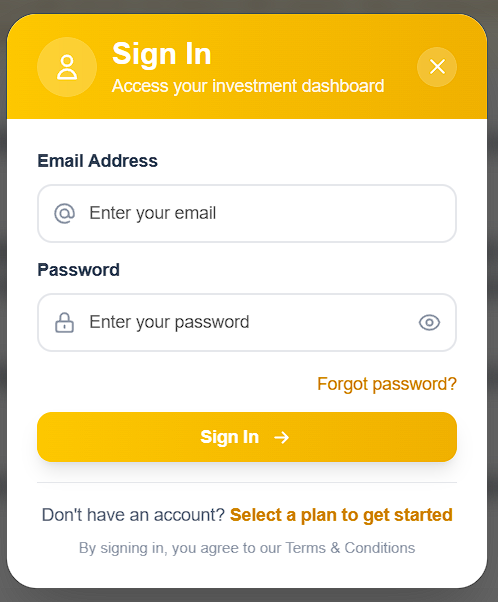
A login modal will appear. Enter your registered email address and password. Use the eye icon to show or hide your password.
3
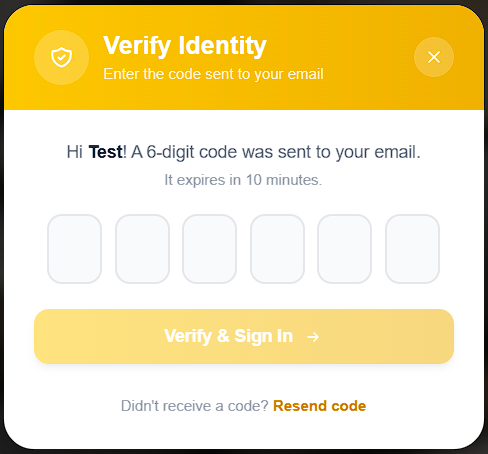
Click the "Sign In" button. A 6-digit verification code will be sent to your Gmail. Enter the code in the OTP modal to complete your login.
4
Once verified, you will be redirected to your dashboard.
5
If you forgot your password, click the "Forgot password?" link below the form.